
Pro
Map Remote
Send matching requests to a different server or path. Point a production build at staging without rebuilding it.
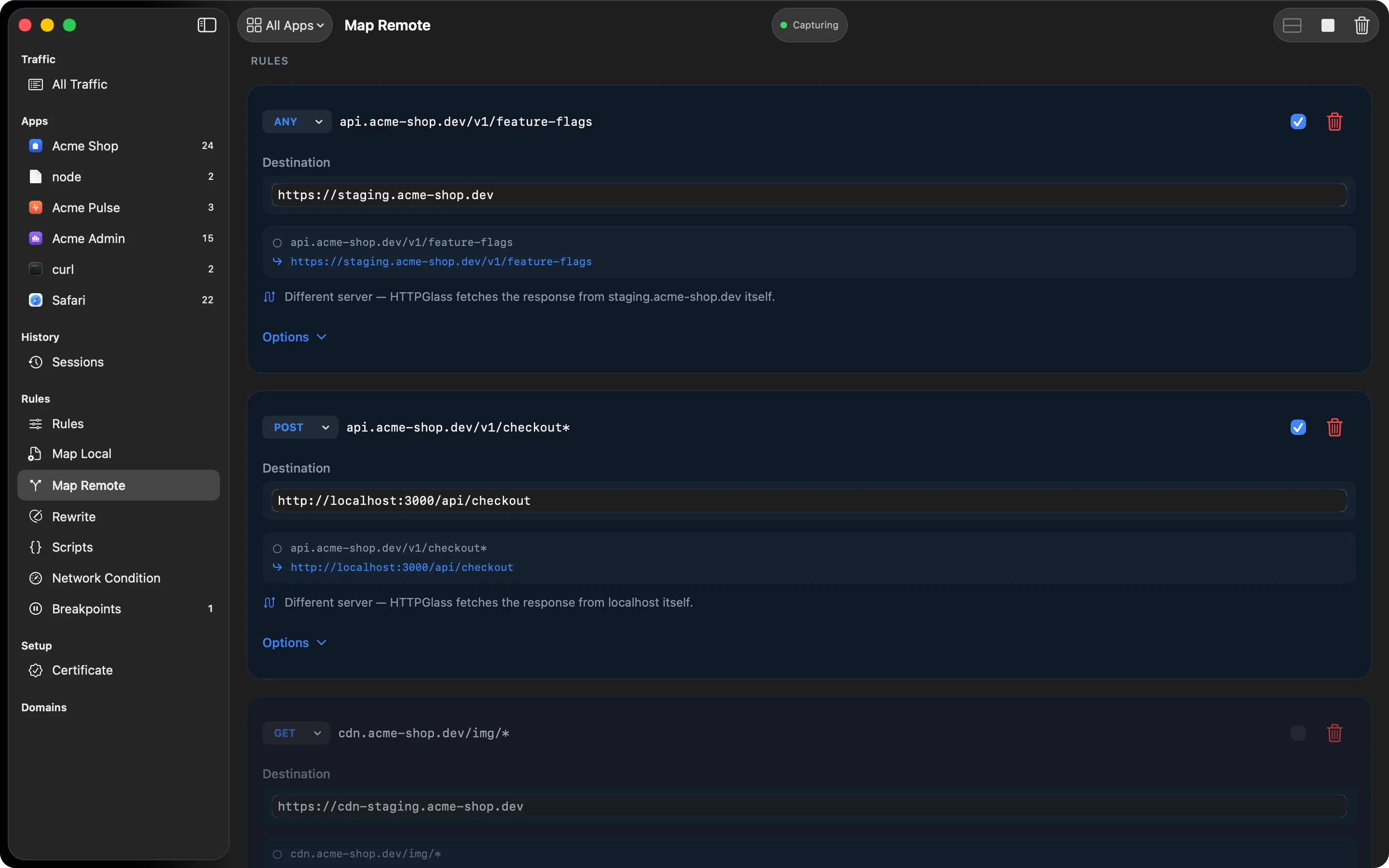
The app keeps asking for the URL it was built with. HTTPGlass fetches from the destination you chose instead and hands that answer back. Nothing in the app changes.
What it’s for
- Point a release build at a staging or local API to reproduce a bug against test data
- Try a new API version (
/v2) before the client code that calls it exists - Send requests to a specific server while it still sees the original hostname
How it works
A rule has a source pattern, an optional method filter, and a destination. The destination
can be a full origin (https://staging.example.com), a host and port
(staging.example.com:8443/v2), or just a path (/v2/users) to stay on the same server.
Three switches decide how much of the original request carries over: the path, the query
string, and the Host header. The editor previews the resulting URL as you type.
When the destination is on the same server, HTTPGlass rewrites the request on the open connection. When it’s a different server, HTTPGlass opens its own connection to it, fetches the response, and returns it to the app. That fetch doesn’t follow redirects, cache, or keep cookies, because a debugging proxy shouldn’t add behaviour the app didn’t ask for.
How it’s different from Map Local
Map Local answers with a response you typed in. Map Remote asks a real server, just a different one from the one the app wanted.
A typical debugging session
A bug only shows up on the release build, and it calls https://api.example.com/v1/users. You
add a rule with the pattern api.example.com/v1/* and the destination
https://staging.example.com, then leave Keep the original path and Keep the query
string on. The editor’s preview shows a request for /v1/users?page=2 landing on
https://staging.example.com/v1/users?page=2. Run the app and the request goes to staging.
The inspector shows where it was sent, so you can tell a mapped request from a real call to the
original host.
When to keep the Host header
Turn on Keep the original Host header when you point at one specific node or an IP address
but the server still needs the real hostname for virtual-host routing or TLS SNI. Leave it off
when the destination is a genuinely different service. A destination with no scheme inherits the
scheme of the original request, and http://10.0.0.5:3000 works as a destination too.
Where it runs among the other tools
When several rules match a request, the topmost one wins, so a narrow rule can sit above a broad one. A same-origin Map Remote rule runs first, then Rewrite rules, then scripts, then a cross-origin detour, then breakpoints. A rewrite or script therefore sees the mapped path, not the original one.
Related
- Map Local answers with a response you write instead of asking a server
- Map Remote reference has the destination formats in full
- Rule syntax explains the patterns every rule list uses
Also on iPhone & iPad:Get it on the App Store