
Pro
Rewrite
Change headers, body, status code, query parameters, or URL on matching traffic. Set it once and it applies to every match.
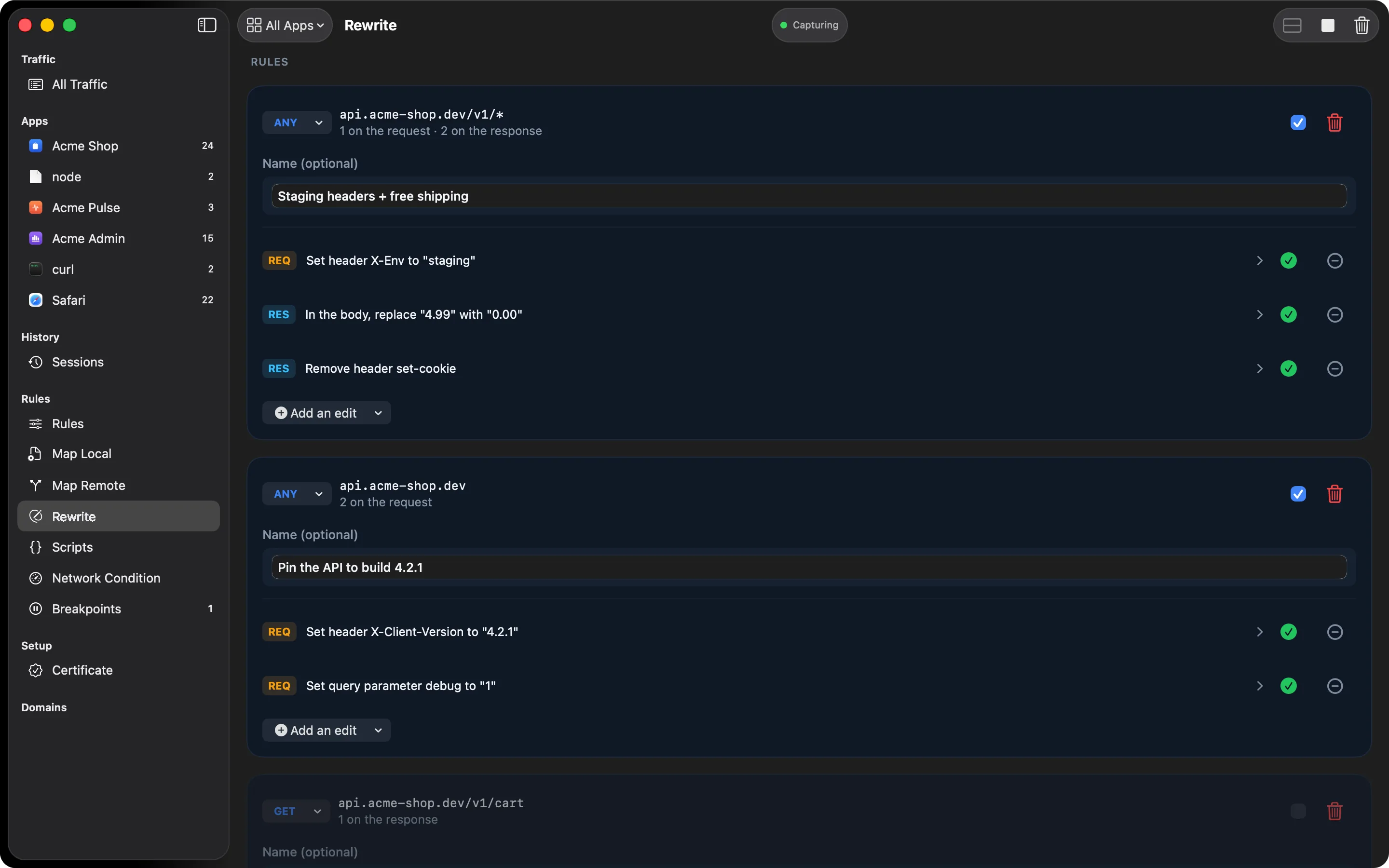
A Rewrite rule is a named list of edits applied to every request or response that matches a pattern. A breakpoint is for editing one message by hand. Rewrite is for an edit you want made every time, without you.
What one rule can do
Each edit picks a phase (request or response), a target, and an operation:
- Header: set, modify only if present, remove, or find and replace inside the value
- Body: replace the whole body, empty it, or find and replace inside it
- Status code: set any status on the response
- Query parameter: set, modify, remove, or find and replace one parameter on the request
- URL: set the path, or find and replace inside the path and query
Find and replace works on plain text or as a regular expression, with $1, $2 capture
groups in the replacement. Edits run in the order you list them.
What it’s for
- Add an
Authorizationheader to every request going to one host - Swap an API key in a query string without touching the app’s config
- Turn every
200from one endpoint into a503to test the retry path - Rename a JSON field in a response to test the app against a proposed schema change
Details that matter
HTTPGlass asks the server for an uncompressed response when a rule needs to edit the response body, so a gzipped body doesn’t quietly defeat the rule. Hosts with a Rewrite rule use HTTP/1.1 so the rule can apply. Rewrite runs before scripts, so a script can always override what a rule did.
Rules of the road
A few behaviours worth knowing before you write your first rule:
- Set creates the value if it isn’t there. Modify if present only changes an existing one.
- Header names are matched case-insensitively, and setting a header that appears twice collapses it to one.
- A status code must be between 100 and 599.
- Header, status, query, and URL edits only need the message head, so responses keep streaming while they’re applied. A body edit needs the whole body first.
- When a body is replaced, a now-wrong
Content-Encodingheader is removed with it. - When several rules match one message, they run in list order.
Adding a rule
Select Rewrite in the sidebar. A rule has a name, a pattern using the shared rule syntax, an optional method filter, and one or more actions. Header and query-parameter targets also take a name, and find and replace takes a match string.
Free and Pro
Rewrite is a Pro feature. If a Pro licence ends, your rules stay saved but stop applying, and they come back when you activate a licence again. Breakpoints stay available on Free for one-off edits.
Related
- Breakpoints let you edit a single message by hand
- Scripting covers edits that need logic instead of a fixed rule
- Rewrite reference lists every target and operation
Also on iPhone & iPad:Get it on the App Store