
Pro
JavaScript scripting
Run your own JavaScript against matching requests and responses, with onRequest and onResponse hooks shaped like Proxyman's.
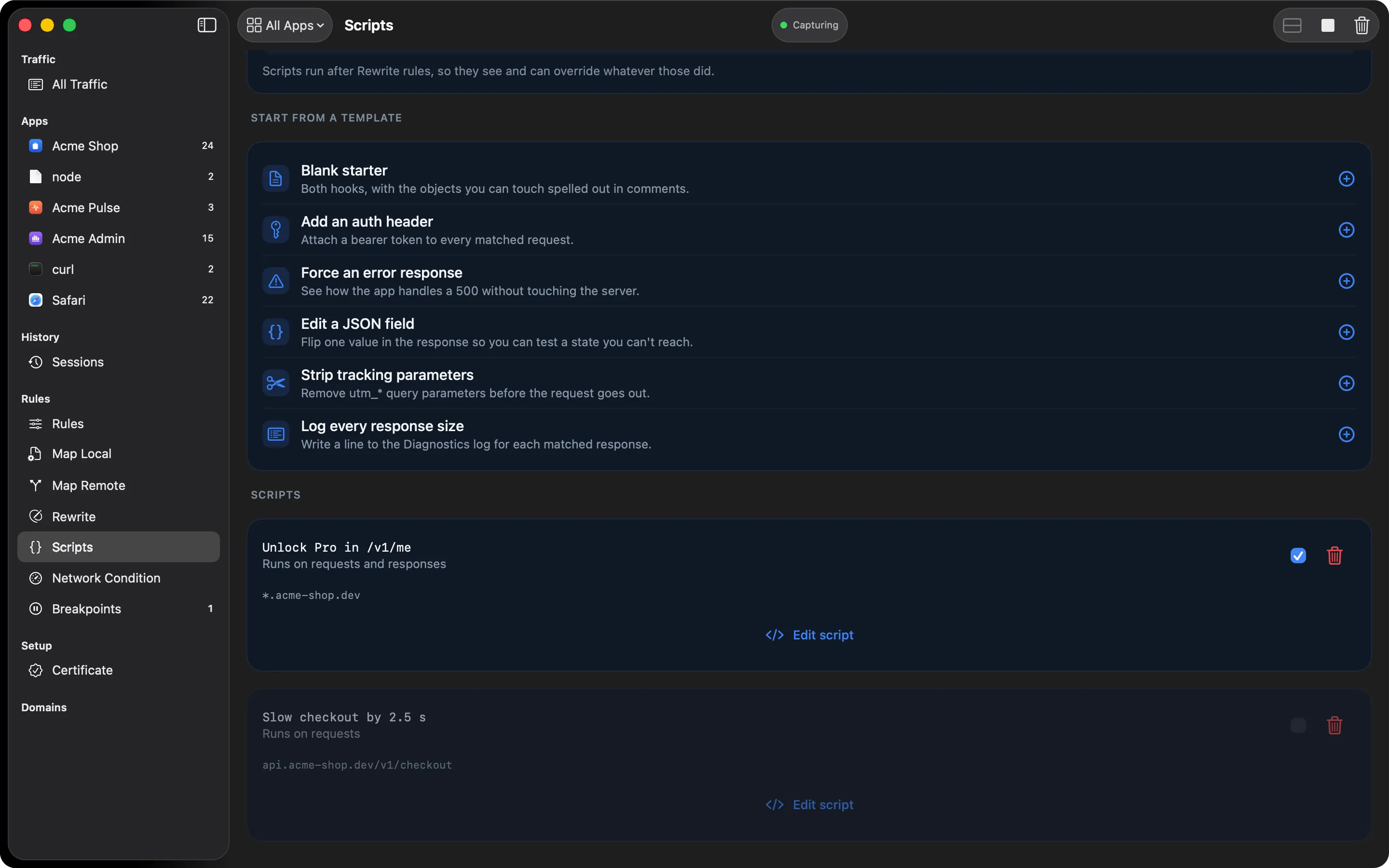
When a rule editor can’t express what you need, write it. A script is two plain functions:
function onRequest(context, url, request) {  request.headers["X-Debug"] = "1";  return request;}
function onResponse(context, url, request, response) {  if (response.body && typeof response.body === "object") {    response.body.isPremium = true;  }  return response;}
HTTPGlass calls them for every message that matches the script’s pattern and sends on whatever
you return. JSON bodies arrive already parsed, so response.body.isPremium = true is the whole
edit. Return nothing to leave a message exactly as it was.
Familiar hooks
The hook names, argument order, and object shapes follow Proxyman’s scripting API, so scripts written for it are a good starting point here.
In the editor
- Templates: start from “Add an auth header”, “Force an error response”, “Edit a JSON field”, “Strip tracking parameters”, “Log every response size”, or a blank starter
- Test pane: run a script against a sample request and see the result and any
console.logorcontext.logoutput before it touches live traffic - Per-hook switches: run only
onRequest, onlyonResponse, or both - Can’t stall your traffic: a hook that runs longer than two seconds is abandoned and the message goes through unchanged
Scripts run after Rewrite rules and before breakpoints, so a script sees what a rule did and can override it.
Adding a script
Select Scripts in the sidebar and pick a template. Then give the script a pattern, using the shared rule syntax, and optionally limit it to one HTTP method. A script with no pattern never runs, and the list says so. The Run onRequest and Run onResponse switches turn either hook on or off without editing the code.
Bodies and return values
- A JSON body arrives already parsed. Change fields on the object and HTTPGlass re-serialises
it and updates
Content-Lengthfor you. - A text body arrives as a string.
- A binary body arrives as
body: nullwith the bytes inbodyBase64. SetbodyBase64to replace it. - Return the
requestorresponseobject to apply your changes. Returnnullor nothing to leave the message exactly as it was.
Limits and behaviour
- If a hook throws, HTTPGlass logs the error with the script’s name and the message continues unchanged.
- When several scripts match, they run in list order, and each receives the previous one’s output.
- When a script declares
onResponse, HTTPGlass asks the server for an uncompressed response on matching requests so the body can be edited. - Scripts have no
fetchand no network access. A script edits the message in front of it and nothing else.
Free and Pro
Scripting is part of Pro. If a subscription ends, your scripts stay saved but stop running until you activate a licence again.
Related
- Scripting in the docs: the full object reference
- Rewrite: no-code edits for the cases a rule can express
- Breakpoints: edit one message by hand
- Map Local: answer with a response you define
Also on iPhone & iPad:Get it on the App Store