
Core
Sessions and HAR export
Every capture run is kept as a session you can rename, export as HAR, or delete. Export any selection of rows as HAR too.
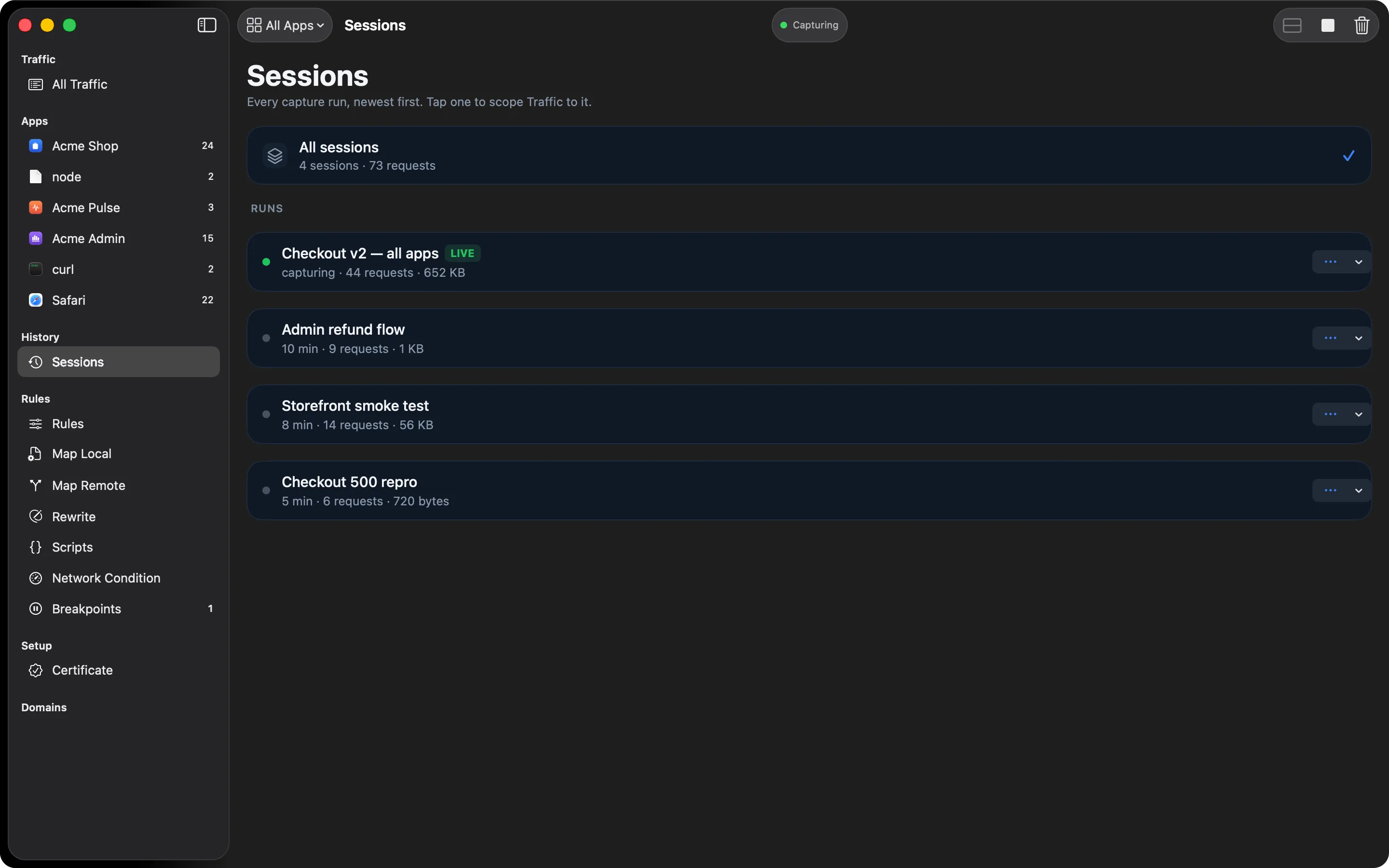
Each time you start capturing, HTTPGlass starts a new session. The Sessions item in the sidebar lists them, newest first, with the number of requests in each, so “the run where the bug happened” stays separate from everything before and after it.
What you can do with a session
- Rename it once you know what it was (“checkout bug repro”)
- Share it as a HAR file
- Delete it when you no longer need it
Export rows as HAR
Select one or more rows in the traffic table, right-click, and choose Export as HAR. You share exactly the requests that matter, not your whole capture history.
HAR is the format browser developer tools and most API tools open, so the person you send it to doesn’t need HTTPGlass to read it.
How sessions work
A session begins each time you start capturing. Stop, start again, and you have a second one. The Sessions item in the sidebar lists all of them, newest first, each with its request count.
Clear in the toolbar, or Capture → Clear Capture (⌘K), is a different thing. It deletes all captured traffic, whether or not you’re capturing. Use a new session to separate one run from the next, and Clear when you want the slate empty.
A typical debugging session
You’re chasing a checkout bug that only happens now and then.
- Start capturing and reproduce the bug. That run is one session.
- Stop, and rename the session to something you’ll recognise later, like “checkout bug repro”.
- Start capturing again to test your fix. It lands in a fresh session, so the failing run and the passing run never blur together.
- Back in the traffic table, select the failing request and the two or three around it, right-click, and choose Export as HAR.
- Attach the file to the bug report. Browsers’ developer tools and most HTTP tools can open it, so whoever picks it up needs no extra software.
What it can’t do
HAR export follows what HTTPGlass captured, so it only contains what it could read. Encrypted connections that were passed through untouched have only a host name, and pinned apps can’t be read by any proxy. See What HTTPGlass can’t see for the full list.
Free and Pro
Sessions and HAR export are both included in Free. See Free vs Pro for the rest of the comparison.
Related
Also on iPhone & iPad:Get it on the App Store