
Pro
Network Condition
Slow connections down on purpose, with presets from GPRS to 5G, custom bandwidth and latency, for every host or only some.
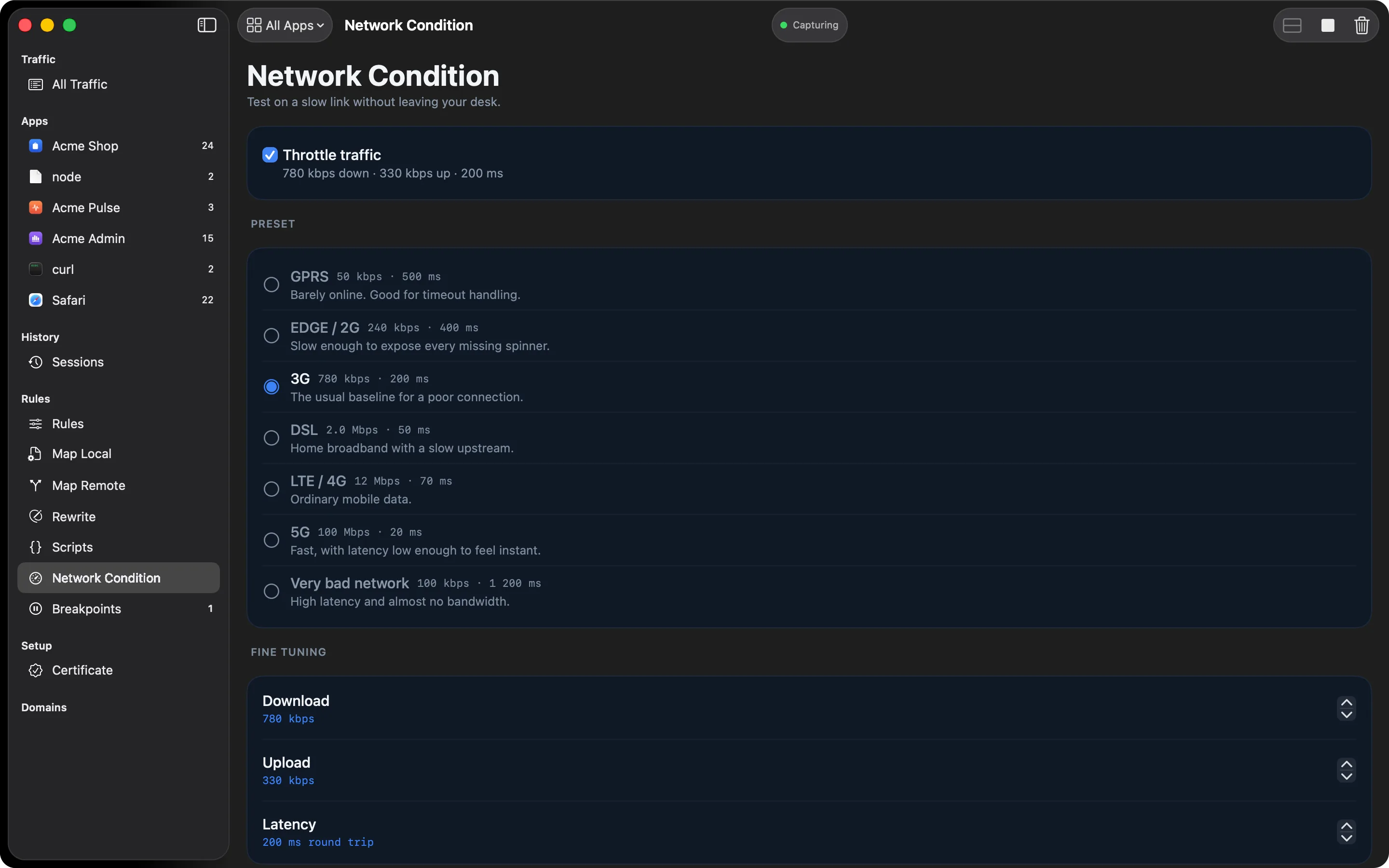
Plenty of bugs only show up on a bad connection: a spinner that never appears, a timeout set to three seconds, two requests that race. Your office Wi-Fi won’t show you those. Network Condition slows down the traffic going through HTTPGlass.
What you get
- Presets: GPRS, EDGE / 2G, 3G, DSL, LTE / 4G, 5G, and a “very bad network” profile with high latency and almost no bandwidth
- Fine tuning: set download speed, upload speed, and round-trip latency separately
- Scope: throttle everything, or only the hosts on a pattern list, so your API crawls while the rest of your Mac stays usable
How it behaves
Limits apply per connection. One request takes as long as it would on that link, whatever else is running. HTTPGlass models the link as a steady pipe rather than a bucket that lets a burst through, so the first byte of a large response is slow too. Latency is a round trip, split between sending and receiving.
Throttling covers every connection to a matching host, including ones HTTPGlass passes through without decrypting.
Turning it on
Select Network Condition in the sidebar and switch on Throttle traffic. Pick a preset
or step the numbers yourself. Once you change a number the profile shows as Custom, and a
rate of 0 means unlimited in that direction.
| Preset | Download | Upload | Latency (round trip) |
|---|---|---|---|
| GPRS | 50 kbps | 20 kbps | 500 ms |
| EDGE / 2G | 240 kbps | 200 kbps | 400 ms |
| 3G | 780 kbps | 330 kbps | 200 ms |
| DSL | 2 Mbps | 500 kbps | 50 ms |
| LTE / 4G | 12 Mbps | 6 Mbps | 70 ms |
| 5G | 100 Mbps | 50 Mbps | 20 ms |
| Very bad network | 100 kbps | 40 kbps | 1200 ms |
To throttle only some hosts, add patterns to Apply to. They use the shared rule syntax. Leave the list empty to throttle every connection.
A typical debugging session
Suppose your app sets a three-second timeout on one API call. Add your API host to Apply to, choose Very bad network, and use the app. Every connection to that host now takes as long as it would on a link with 100 kbps down, 40 kbps up, and 1200 ms of round-trip latency. Your browser and the rest of your Mac keep their normal speed. If the timeout fires when it should, or a spinner never shows up, you have found the bug without leaving your desk.
Changes apply to connections opened after you make them. An app that is already mid-download keeps its current speed, so quit and reopen it to start fresh. Throttling only affects traffic that goes through HTTPGlass while it’s capturing.
Free and Pro
Network Condition is part of Pro. If a subscription ends, your settings stay saved but throttling stops applying until you activate a licence again.
Related
- Network Condition in the docs
- Rule syntax: the pattern format used for the host list
- Map Local: answer a request with a canned response instead of slowing it down
- Free vs Pro
Also on iPhone & iPad:Get it on the App Store