
Core
See which app sent it
Every request is labelled with the app that made it. Pick the app you're debugging and HTTPGlass decrypts everything it sends and shows only that.
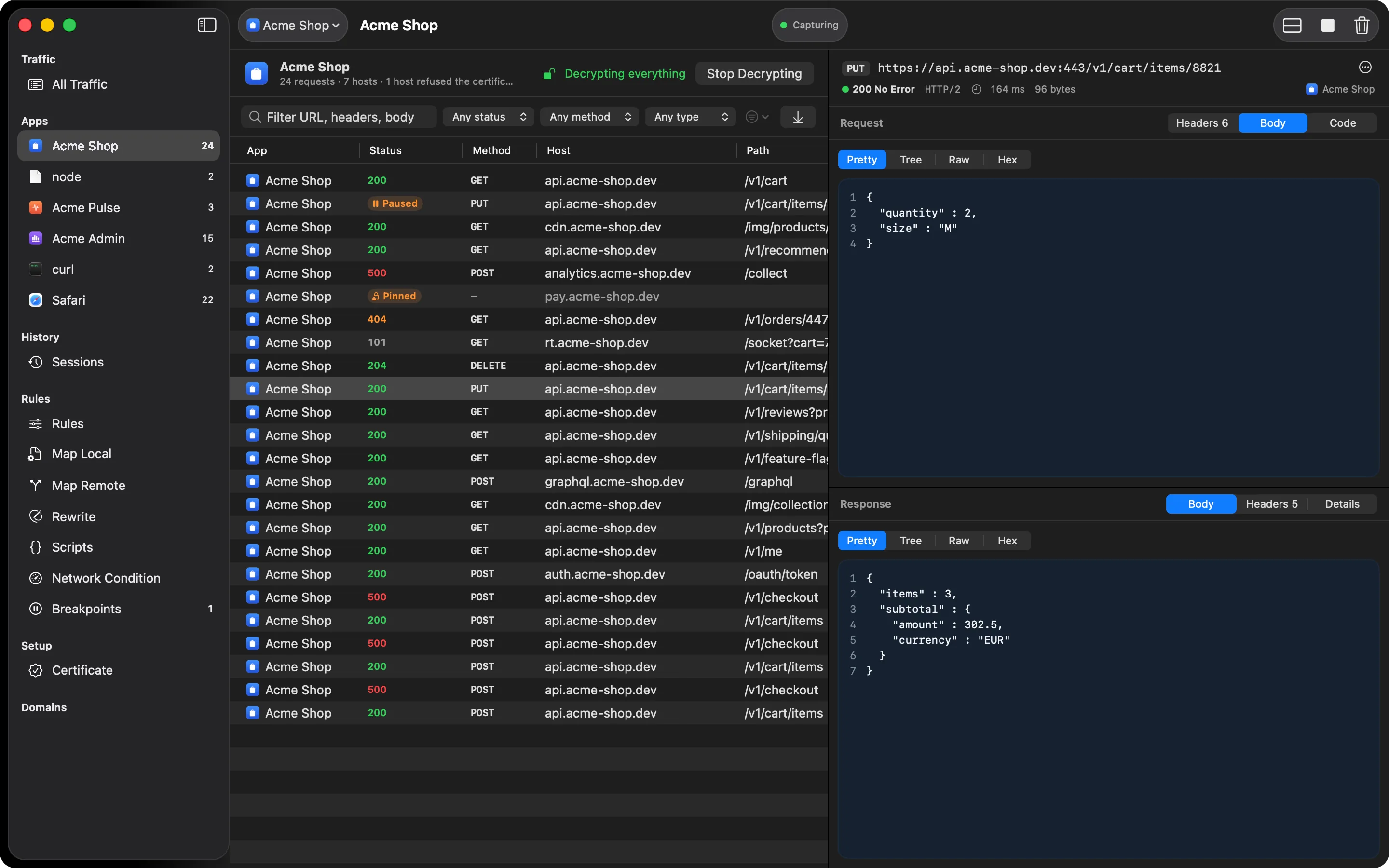
On a Mac, the question is usually “what is this app doing?” A browser alone talks to dozens of domains, and the system’s background services add more on top. HTTPGlass works out which app opened each connection and puts its icon and name on every row.
Start from the app, not a host list
Other debugging proxies ask which hosts to decrypt. You rarely know that up front. You know which app you’re working on. When there’s no traffic yet, HTTPGlass opens with a grid of the apps on your Mac: the ones already sending requests and the ones that are just running. Click one, and HTTPGlass starts capturing, decrypts every host that app talks to, and shows only its traffic.
The app you’re debugging stays in the toolbar, like a scheme in Xcode. Its view shows how many requests and hosts it has used, whether it is being decrypted, and a button to change that.
How apps are recognised
- Helpers count as their app. Chrome, Slack, and Electron apps make their requests from helper processes inside the app bundle. Those rows show the app itself.
- Safari is Safari. Its requests come from a WebKit system service, and HTTPGlass labels them with the app that service is working for.
- Command-line tools keep their own name. A
curlornoderequest shows ascurlornode, not as the terminal you ran it from.
Less noise by default
macOS background services (iCloud, Spotlight, software update, and other system daemons) and connections that weren’t decrypted are hidden from the main list. A counter in the filter bar shows how many rows are hidden, and one switch brings them back.
Also in the sidebar
An Apps section lists every app with traffic and its request count. A Domains section lists every host, marks the ones that weren’t decrypted or refused the certificate, and lets you decrypt or block a host with a right-click.
On Free you decrypt one app at a time. Picking another app swaps it in. Free also covers up to five individual hosts on the SSL Proxying list. Pro removes both limits. See Free vs Pro.
Also on iPhone & iPad:Get it on the App Store