
Core
Capture HTTPS traffic
HTTPGlass runs a local proxy on your Mac and decrypts HTTPS, so you see the real requests and responses instead of a list of host names.
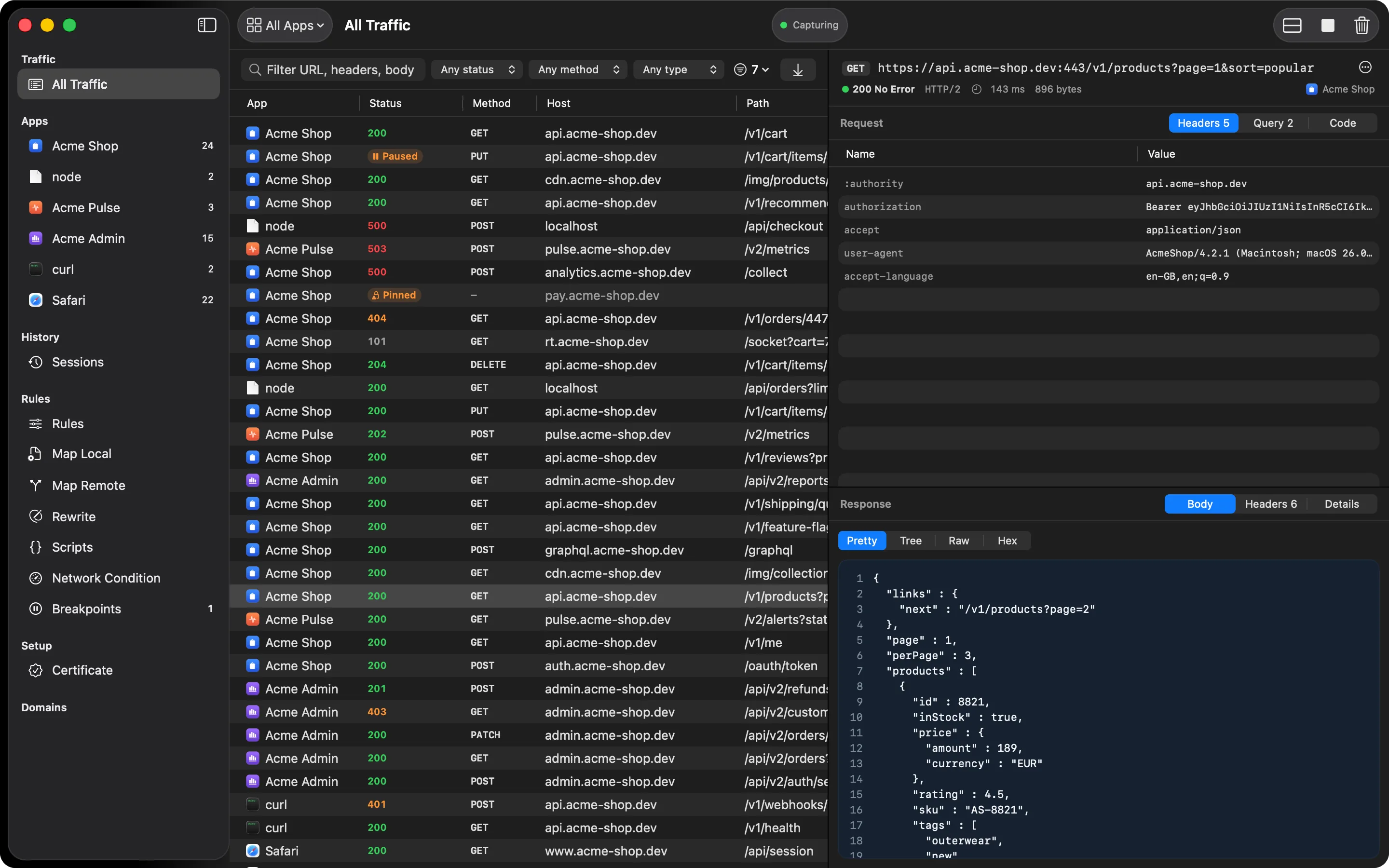
Most of what your apps send is encrypted. Without decryption, a traffic tool can only tell you that a connection happened: which host, and that’s about it. HTTPGlass decrypts HTTPS and shows you the method, path, headers, and body of every request, and the status, headers, and body of every response.
How capture works on a Mac
HTTPGlass runs a proxy on 127.0.0.1, inside the app. When you start capturing, it points
your Mac’s HTTP and HTTPS proxy settings at that proxy, for every network service. Apps that
follow the system proxy, which covers browsers, most Mac apps, and many command-line tools,
then send their traffic through HTTPGlass.
Before it changes anything, HTTPGlass writes down each network service’s previous proxy setting. It puts those settings back when you stop capturing or quit. If the app is killed or crashes, it restores them the next time it launches. If your Mac is still pointed at HTTPGlass and nothing is listening, the window says so and offers to switch the proxy off.
The certificate
HTTPGlass creates its own root certificate the first time you set it up. The private key is stored on your Mac in a file only your user account can read, and it never leaves the machine. macOS has to trust that root before apps will accept the certificates HTTPGlass presents, which takes one authorization. If capture is running and the root isn’t trusted, the window tells you, right above the traffic.
Safari, Chrome, and most command-line tools use the system trust store and need nothing more. Firefox and Java keep their own stores, so you add the root there too.
What you’ll see
- Full request and response for every decrypted HTTP and HTTPS call
- HTTP/2 kept as HTTP/2 when the app and the server both speak it, so you see the protocol the app really used
- Time to first byte, total time, and body sizes for each request
- gzip, deflate, and Brotli bodies decoded for you
What it can’t see
An app that pins its certificate refuses the one HTTPGlass presents. HTTPGlass notices, stops trying for that host so the app keeps working, and tells you why the row is unreadable. No proxy can read pinned traffic without a build of the app with pinning turned off. Read how the decryption works and what it can’t see before you rely on it for something security-sensitive.
Also on iPhone & iPad:Get it on the App Store